
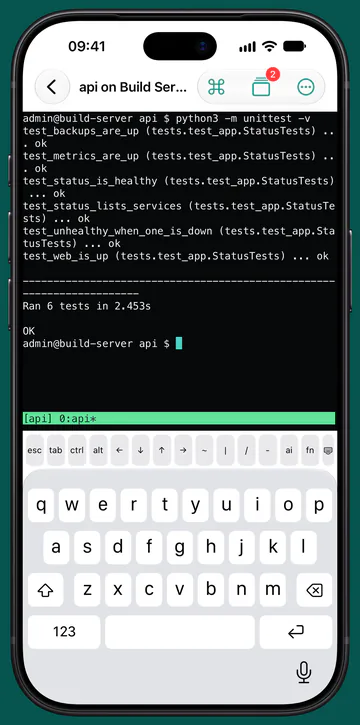
Terminal
An SSH terminal built for tmux
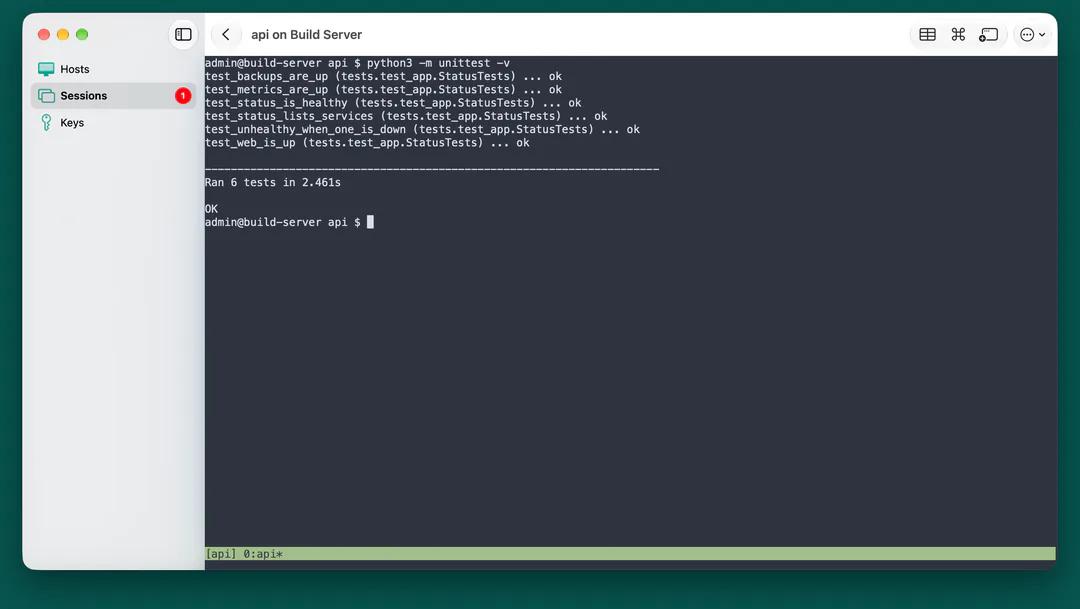
The session keeps running on the host when the link drops, and Conn reattaches when it's back. A key bar gives you esc, ctrl, alt, arrows and F1 to F12.
SSH · VNC · SFTP for iPhone, iPad and Mac
Conn is a terminal, a screen and files for the machines you run. An SSH terminal built around tmux, the whole desktop over VNC, and SFTP files you can edit and save straight back. It connects straight to your machines, with nothing in between.
£12.99 once. One purchase for iPhone, iPad and Mac. No subscription.
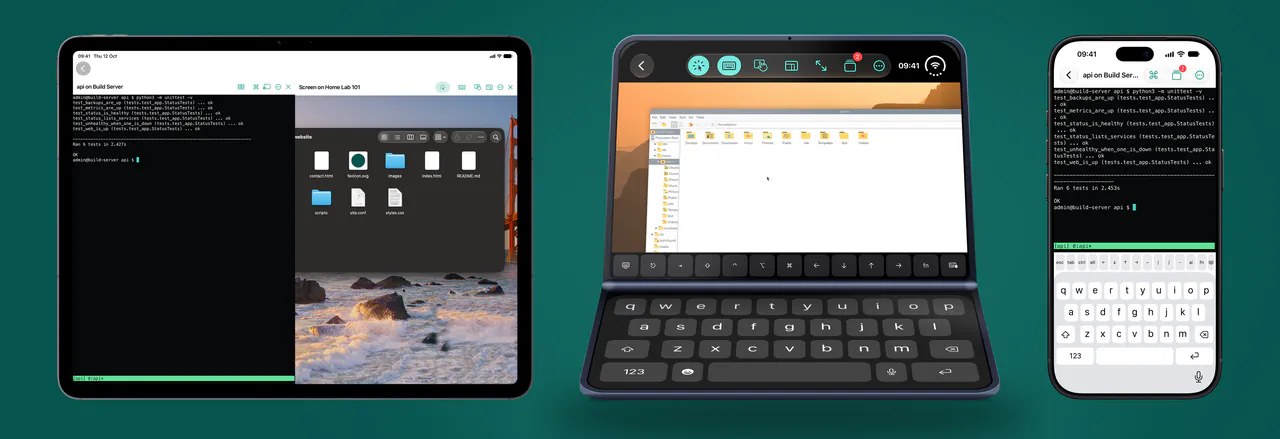
Three tools, one list of hosts
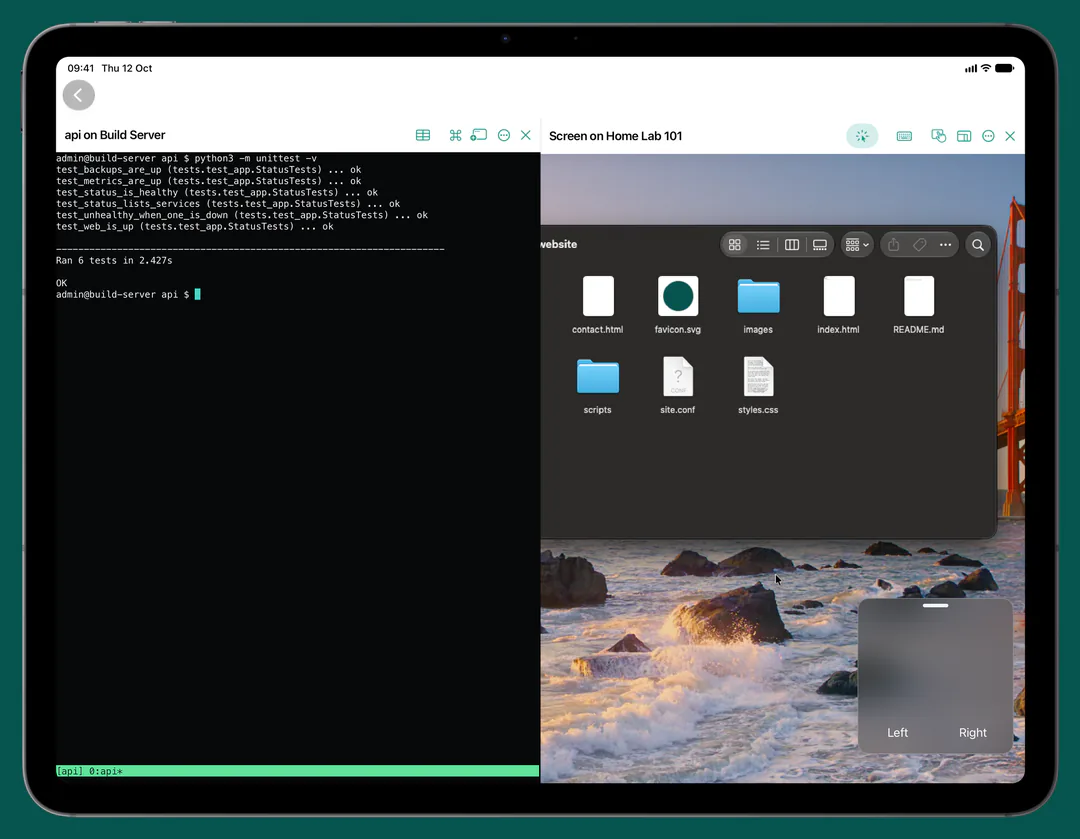
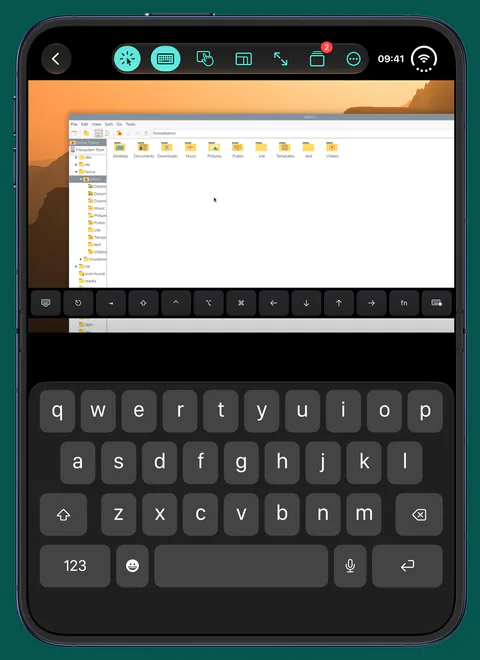
Add a machine once. Open a terminal, its screen or its files from the same tile, on whichever device is in your hand.
The session keeps running on the host when the link drops, and Conn reattaches when it's back. A key bar gives you esc, ctrl, alt, arrows and F1 to F12.
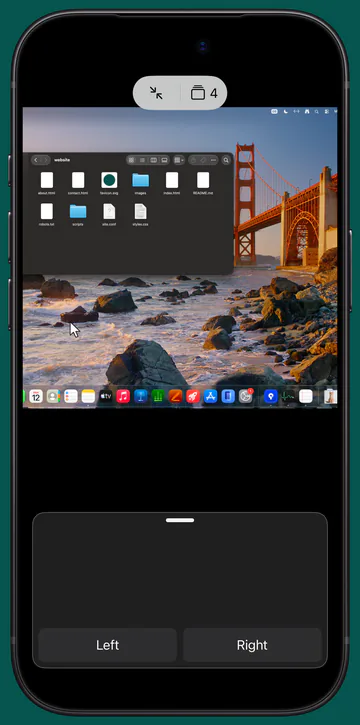
See and control a Mac, a Raspberry Pi or another VNC server by touch, trackpad, mouse or keyboard. Encrypted, and Conn asks before anything would go unencrypted.
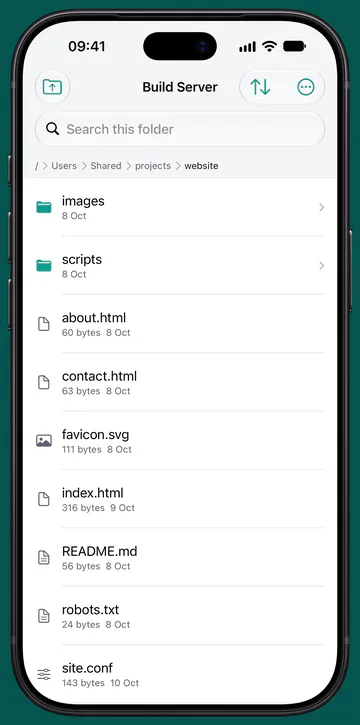
Browse, upload and download over SFTP. Edit a text file with syntax colouring and save it straight back to the server.
Built around tmux
Phones lose their connection all the time: a tunnel, a lift, a weak signal. With tmux on the host, that stops mattering.
Your link to the machine goes, halfway through a build, a deploy or a long log.
The session lives on the host, not on your phone, so whatever you started carries on.
When the link is back, Conn reconnects by itself and puts you back in the same session.
To be clear: iOS stops an idle app after a short while, so the SSH link itself doesn't stay open in the background. With tmux the session keeps running on the host, and Conn reattaches when you come back.
Sessions
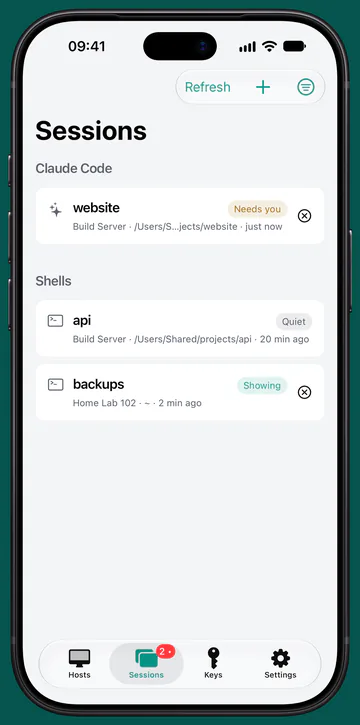
The Sessions tab lists your tmux sessions across your machines. When one is waiting on a bell or a question, Conn marks it Needs you while Conn is open.
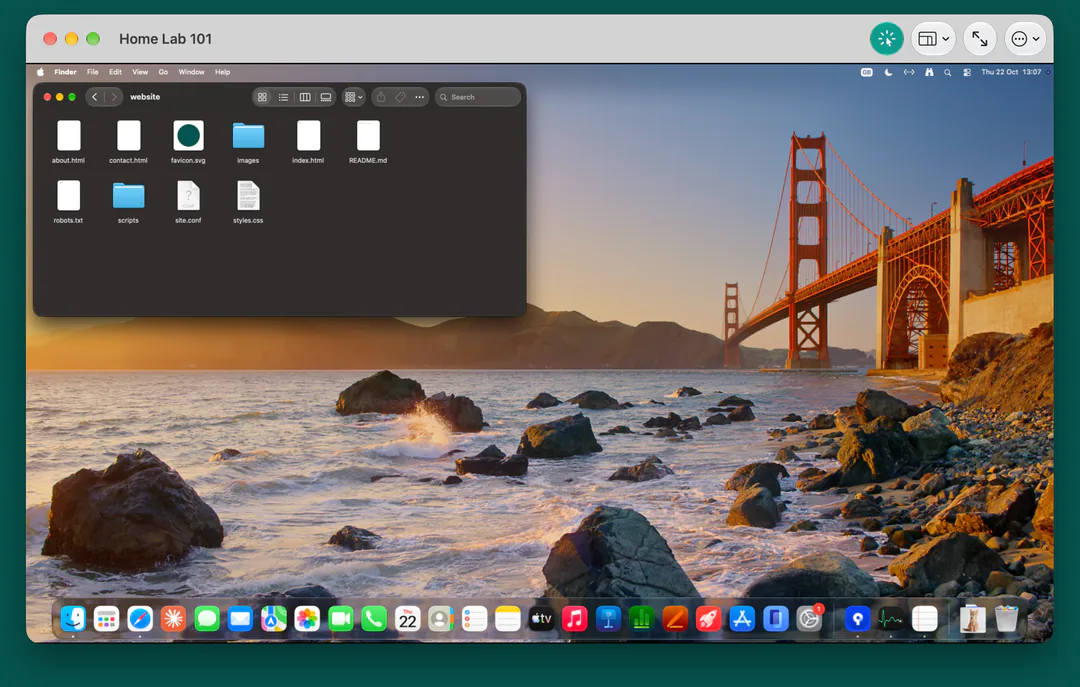
Screen
Sign in to a Mac with its own account through Screen Sharing, and to a Raspberry Pi with its own account over an encrypted link. Conn keeps the picture encrypted, over SSH where it's needed, and asks before anything would go unencrypted.
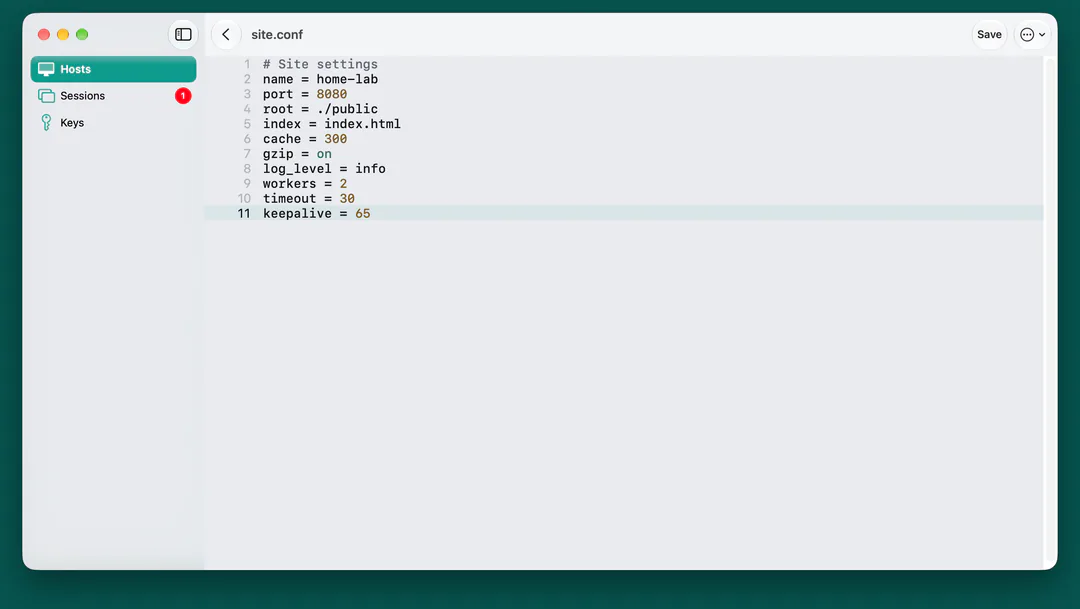
Files
Browse your machines over SFTP. Edit a text file with syntax colouring and save it straight back. Conn writes the new version beside the old one and swaps it in, so a save cut off halfway never leaves the file half written.
New in 1.2.1
Jump hosts and port forwards, the way OpenSSH does them, with nothing extra to install on the server.
Reach an office machine behind a bastion, or a lab behind one server, through a jump host or a chain of them. Terminal, Files and Screen over SSH all go through it, and each machine signs in with its own saved password or key. Pasting an SSH config brings a one-machine ProxyJump along when that machine is in the paste or already in Conn.
Open a machine's web dashboard, database or admin page over SSH. Start a saved forward from the host's page and copy its local address. For common web ports, Open shows the page right inside Conn on iPhone and iPad. It listens on your device only.
On a Mac, a forward runs while Conn runs. On iPhone and iPad it runs while Conn is on screen, which is why Open shows web pages inside Conn. How it works.
Security and privacy
Conn connects only to the machines you add, your local network to find them, and your own iCloud.
New Key makes your SSH key inside the Secure Enclave, where your device has one. The private key is never a file and can never leave the device.
Passwords and keys live in the Keychain on that device: never synced, never restored onto another one. Saved SSH and Mac passwords ask for Face ID, Touch ID or your passcode.
Conn remembers each server's SSH key and stops if it ever changes, showing you the old and new fingerprints.
No account, no analytics, no ads and no Conn servers. Conn connects straight to your machines and sends nothing to any AI service.
App Store privacy label
Data Not Collected
Conn sends us nothing. Optional iCloud sync uses your own private iCloud database, and it stays off until you turn it on.
iPhone, iPad and Mac
Conn is made for each device, not stretched across them. Buy it once and it's yours on all three.
No surprises
What we've tested, and what Conn needs on the other end. The full technical detail is in What Conn supports.
Tested 17 September to 5 October 2026
Everything else is untested, including Files on a Mac or a Raspberry Pi, other macOS versions and VNC servers on Windows. Not sure it fits your setup? Ask us before you buy.
Pricing
£12.99
Once. Not a month, not a year.
The UK price. Other App Store countries show their own price.
Questions
No. There are no analytics, no ads, no account and no Conn servers. Apple's privacy label for Conn reads Data Not Collected. The privacy policy sets out exactly what stays on your device and what syncs if you turn iCloud on.
The SSH link doesn't: iOS stops an idle app after a short while, and no background mode fits a terminal. With tmux, the session keeps running on the host and Conn reattaches when you come back.
Ed25519 and ECDSA keys. New Key makes a P-256 key in the Secure Enclave where your device has one. RSA keys aren't supported yet, but most servers also have an Ed25519 host key.
Yes: over a VPN such as Tailscale, through a jump host, or through an SSH port you open. Conn shows when a link goes over Tailscale. Please never open a screen's VNC port on your router: use Tailscale, or let Conn carry the screen over SSH.
No. Conn is one price, once, with nothing locked away. If you're not sure it fits your setup, ask us first. Purchases go through Apple, so refunds do too, at reportaproblem.apple.com.
No. One purchase covers iPhone, iPad and Mac with the same Apple Account.
Conn for iPhone, iPad and Mac
A terminal, a screen and files on the machines you run. £12.99 once, no account, no tracking.