
Features
Everything Conn does, in plain words.
A terminal, a screen and files on your own machines, from iPhone, iPad and Mac. Here is all of it, so you know exactly what you're getting.
Terminal
An SSH terminal that keeps your place.
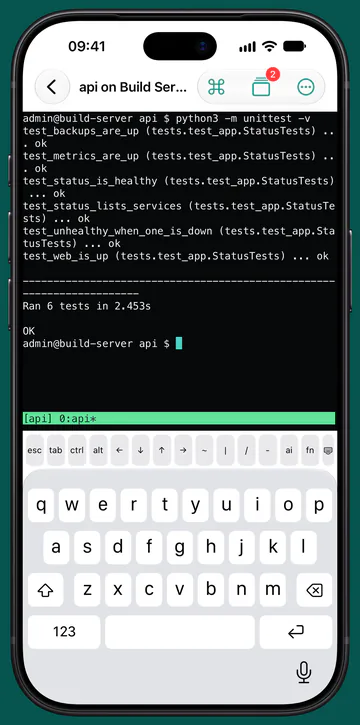
Choose tmux for a host and your session keeps running on it when Conn closes or the link drops. When the link comes back, Conn reattaches by itself.
Sessions
The Sessions tab lists your tmux sessions on every host, so you can pick up any of them from any device.
Needs you
A session waiting on a bell or a question is marked Needs you while Conn is open. On a Mac it can also post a notification. Conn doesn't send push notifications.
New Session
Start a shell, a command, or an AI coding tool you run on your own machine. Conn itself has no AI built in.
Snippets
Save commands with variables, then run them in a terminal or across a whole group of hosts.
Command palette
Your snippets, your history and over 50 built-in commands, a few keystrokes away.
Key bar
esc, ctrl, alt, the arrows and F1 to F12 above the on-screen keyboard. Hardware keyboards work too.
History that stays put
Command history is kept on that device only. It never syncs, and Conn asks for it to be left out of backups.
Plain failure messages
When a connection fails, Conn says what happened and why, in the host's own words where it has them.
Screen
The whole desktop, kept private.
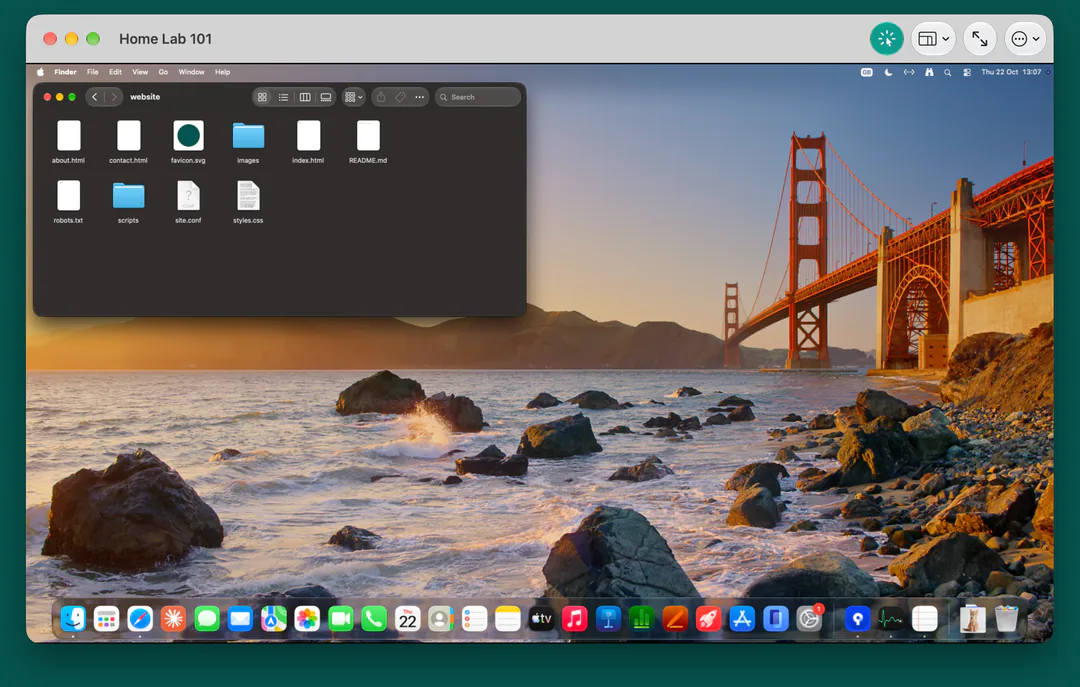
See and control a Mac, a Raspberry Pi or another computer with a VNC server. Conn keeps the picture encrypted, over SSH where it's needed, and asks before anything would go unencrypted.
A Mac, with its own account
Sign in through the Mac's own Screen Sharing with an account on that Mac. With Remote Login on as well, Conn carries the screen over SSH.
A Raspberry Pi, encrypted
Sign in to Raspberry Pi OS's own WayVNC with the Pi's account. A Pi's screen usually encrypts itself, so it doesn't need SSH to be private.
Other VNC servers
Tested with TigerVNC, x11vnc and TightVNC on Debian. A VNC password works for servers that use one.
Touch, trackpad, mouse or keyboard
On iPhone and iPad, an on-screen trackpad (the default), a full-screen pad, or Touch, where the pointer goes where your finger lands. A mouse or trackpad works on iPad and Mac.
Asks before going unencrypted
A screen that would travel without encryption shows an open padlock, and Conn asks before it first connects that way.
Copy and paste both ways
Between your device and the machine you're controlling.
Reconnects by itself
If the link drops while you watch, Screen reconnects without you doing anything.
Drop a file onto a screen
On iPad and Mac, drop a file on a screen to send it to that machine's Desktop over SSH.
Files
Your servers' files, in your hand.
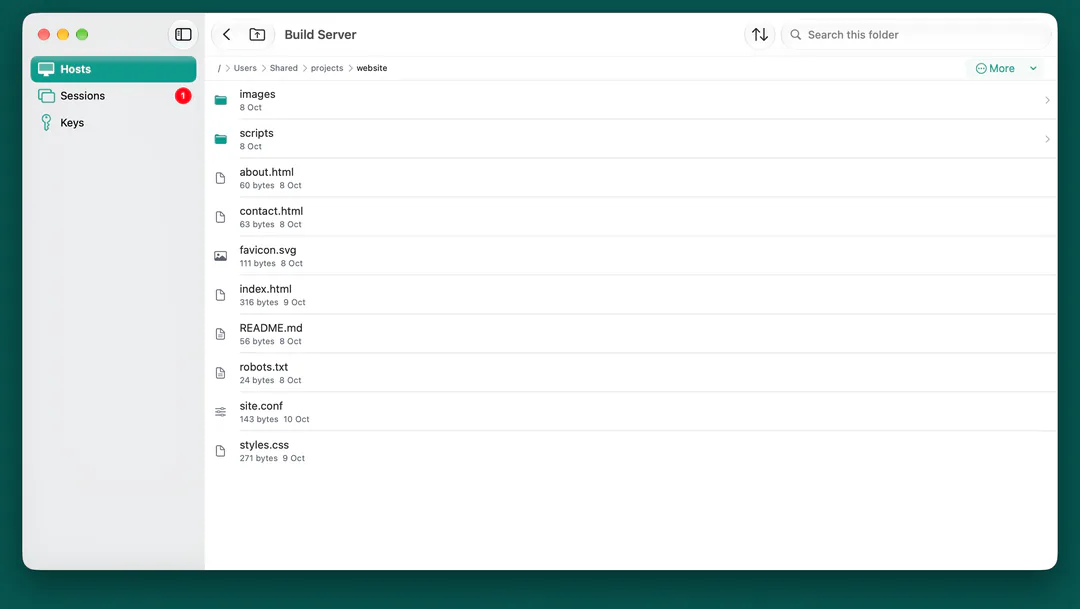
Browse your machines over SFTP, and edit a text file and save it straight back. A save cut off halfway never leaves the file half written.
Everything you'd expect
Upload, download, rename, delete, make folders and change permissions.
An editor that saves safely
Syntax colouring, and a save that writes the new version beside the old one and swaps it in.
Previews
Open images and PDFs in a preview.
Transfers
Progress for every upload and download, with Stop and Resume.
Downloads you can share
Finished downloads stay in Conn's own Downloads folder. Share sends a copy elsewhere: to the Files app on iPhone and iPad, or to another app.
Good to know
The editor and previews take files up to 1 MiB.
Hosts and sync
Your machines at a glance.
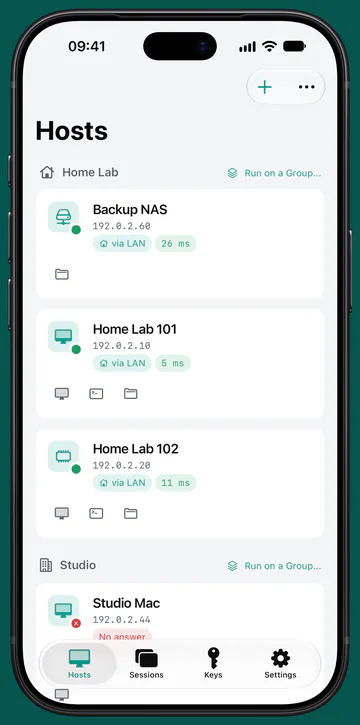
Find machines on your network, add them by hand or paste an SSH config. Tiles show which ones answer, sorted into your own groups.
Tailscale, shown
Conn shows when a link goes over Tailscale, and only once the connection proves it.
Share hosts safely
Send hosts to someone in a .conn file. It never holds a password or a key.
Optional iCloud sync
Hosts, groups and snippets on all your devices, through your own private iCloud. Off until you turn it on.
Wake-on-LAN
Wake a sleeping machine from its host menu, once you've added its hardware address.
Handoff
With iCloud sync on, pick up a tmux session, a screen or a folder on your other device. It signs in with its own saved sign in.
Shortcuts
Connect, Wake and Run Snippet actions for the Shortcuts app and Siri.
Jump hosts and port forwards
Reach the machines behind other machines.
New in 1.2.1: jump hosts and local port forwards, as OpenSSH's ProxyJump and ssh -L do them.
A jump host, or a chain
Set Reach It Through in Edit Host, and Terminal, Screen over SSH and Files go through it. A jump host can have its own, for a chain.
End to end, key by key
Each machine signs in with its own password or key, and the jump host only passes encrypted traffic along. Each machine's SSH key is checked on its own.
From your SSH config
Pasting a config with a one-machine ProxyJump sets the jump host for you, when that machine is in the same paste or already in Conn.
Saved port forwards
Save a forward in Edit Host, then Start it from the host's page. It listens at 127.0.0.1 on your device only, with Copy.
Web pages inside Conn
For a common web port, Open shows the page straight from the forward: inside Conn on iPhone and iPad, so the forward keeps running, and in your browser on a Mac.
How long a forward runs
On a Mac, while Conn runs. On iPhone and iPad, while Conn is on screen: iOS stops it soon after Conn goes to the background.
Keys and security
Keys that can't be copied.
New Key makes your SSH key inside the Secure Enclave, where your device has one. The private key is never a file, and can never leave your iPhone, iPad or Mac.
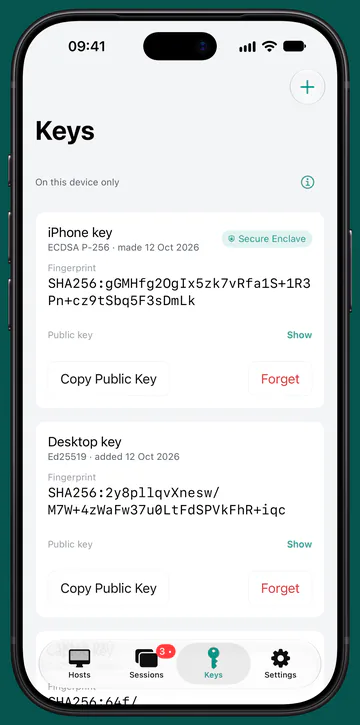
Face ID or Touch ID per use
Ask for Face ID or Touch ID each time a Secure Enclave key is used, if you want it.
Other key types
Ed25519 and ECDSA keys, made in Conn or added from a file or the clipboard.
Keychain, this device only
Passwords and keys are never synced and never restored onto another device from a backup.
Saved passwords ask first
Saved SSH and Mac passwords ask for Face ID, Touch ID or your passcode each time Conn uses them. Conn has no way to show one.
Host keys checked
Conn remembers each server's SSH key and stops if it ever changes, showing the old and new fingerprints.
App lock
Lock Conn itself behind Face ID or Touch ID.
More detail, and how to report a problem, on the Security page.
iPhone, iPad and Mac
Made for each device you own.
One purchase, and Conn is yours on iPhone, iPad and Mac, each with the controls that suit it.
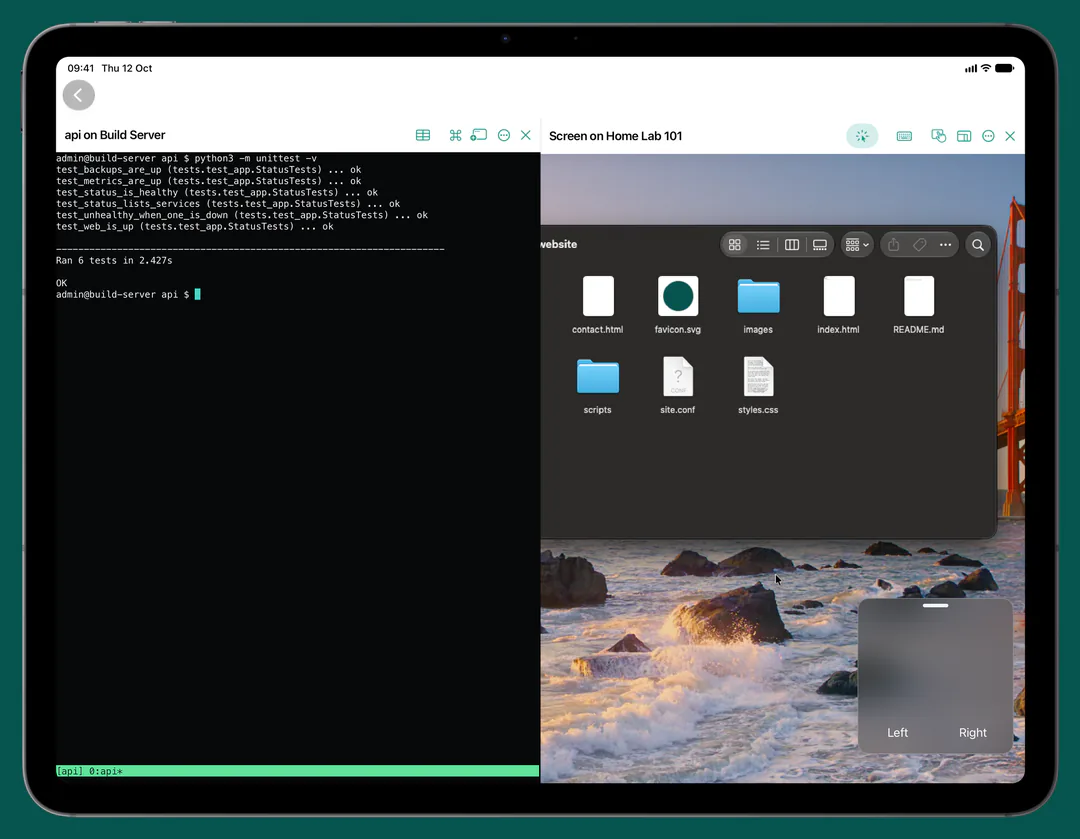
iPhone
A key bar for the keys a terminal needs, and a Trackpad style for screens.
iPad
A terminal and a screen side by side, menus and keyboard shortcuts, and files dropped onto a screen.
Mac
A menu bar icon with your sessions and hosts, menus and keyboard shortcuts throughout, and a right click where touch would touch and hold.
iPhone Duo
Fold it halfway like a laptop: with the Trackpad style the screen is on top and the pad below; with the keyboard up, the terminal stays on top.
At a glance
The specifics.
| Devices | iPhone, iPad and Mac, in one purchase |
|---|---|
| Tested on | iOS, iPadOS and macOS 26 and 27 (the App Store offers Conn from iOS 17 and macOS 14) |
| Terminal and Files | SSH and SFTP, with a password or an Ed25519 or ECDSA key |
| Screen | VNC: Apple Screen Sharing with a Mac account, Raspberry Pi's WayVNC with the Pi's account, and VNC servers with a VNC password |
| Encryption for Screen | Over SSH, the screen's own encryption, or Tailscale. Conn asks before anything goes unencrypted. |
| Keys | Secure Enclave P-256 (the default where the device has one), Ed25519 and ECDSA |
| Jump hosts and forwards | Jump hosts and chains (like ProxyJump), and local port forwards (like ssh -L) |
| Sync | Optional, through your private iCloud: hosts, groups and snippets. Never passwords, keys or history. |
| Data collected | None. No account, analytics, ads or Conn servers. |
| Price | £12.99 once (UK). No subscription, no in-app purchases. |
| Made by | Maritime Master Limited, in the UK |
Works with
Know before you buy.
What we've tested, and what Conn needs on the other end.
Works with
Tested 17 September to 5 October 2026
- Mac, macOS 26.7: Screen (Screen Sharing) and Terminal (Remote Login)
- Mac, macOS 27.0: Screen
- Raspberry Pi 4, Raspberry Pi OS (Debian 13): Screen with its own WayVNC 0.10.1, and Terminal
- Debian 12: Terminal and Files with OpenSSH, Screen with TigerVNC 1.12
- Debian 13: Screen with TigerVNC 1.15, x11vnc 0.9.17 and TightVNC 1.3.10
Everything else is untested, including Files on a Mac or a Raspberry Pi, other macOS versions and VNC servers on Windows.
Good to know
- Terminal, Files and a drop on a screen need SSH on the host. Sign in with a password, or an Ed25519 or ECDSA key. On a Mac, turn on Remote Login, and Screen Sharing for Screen.
- Conn reaches machines on your network, over Tailscale or another VPN, through a jump host, or through an SSH port you open.
- Conn speaks VNC, not RDP (Windows Remote Desktop).
Setup steps for a Mac, a Raspberry Pi and SSH keys are in Prepare your machines, and the full technical detail is in What Conn supports.
£12.99 once
One app for every machine you run.
No account, no tracking, no subscription. One purchase for iPhone, iPad and Mac.